Mastering Amazon Inventory Feeds: How Dynamic Bulk Uploads and Queue Processing Prevent Stockouts
Discover how dynamic Excel templates, automated validation, and background feed processing can reduce inventory upload errors and help keep stock synchronized across Amazon stores.
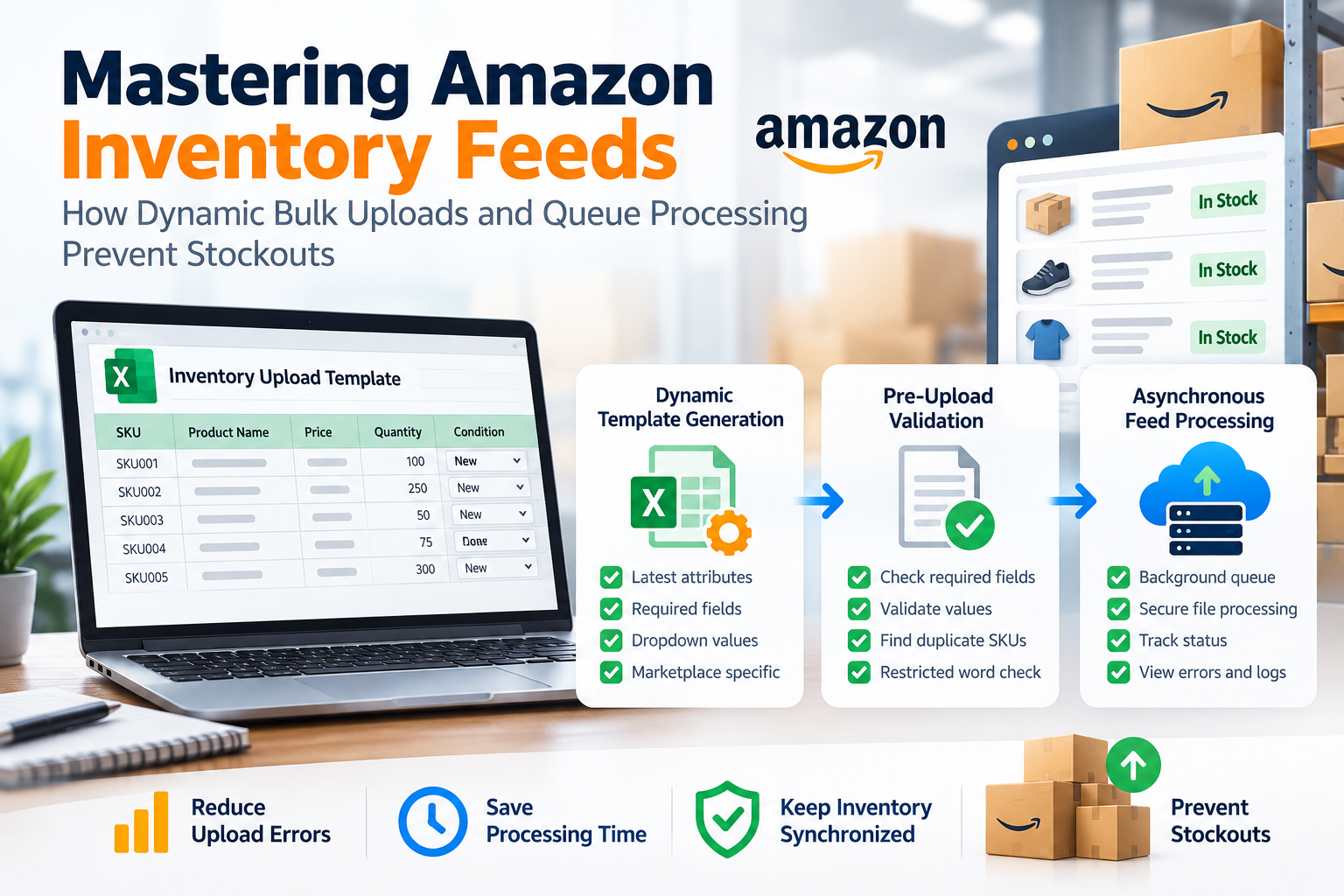
Mastering Amazon Inventory Feeds
For high-volume Amazon sellers, updating stock, prices, and SKU information individually is not practical.
Bulk inventory feeds can significantly reduce manual work, but they can also become challenging when sellers encounter matching errors, outdated templates, invalid values, or large files that take too long to process.
A modern inventory management system can address these challenges through dynamic template generation, automated validation, secure file processing, and asynchronous feed queues.
Why Standard Excel Uploads Can Fail
1. Outdated Flat Files
Static Excel templates downloaded months ago may not contain the latest mandatory attributes or marketplace requirements.
2. Invalid Enumerations
Amazon may require specific predefined values for certain attributes. Entering unsupported or custom values can result in feed validation errors or rejection.
3. Server Timeouts on Large Files
Large inventory files containing thousands of SKUs can be difficult to process synchronously. Processing everything in a single request can result in long processing times or server timeouts.
How an Enterprise Feed Engine Works
1. Dynamic Template Generation
The system can generate customized Excel (.xlsx) templates based on the latest product-type requirements.
Required attributes can be included automatically, while dropdown menus can help sellers select valid values directly within the spreadsheet.
2. Pre-Upload Validation
Before submitting an inventory file, the system can validate required fields, identify duplicate SKUs, and check listing content against configured restricted or banned-word rules.
This allows sellers to identify potential problems before the file reaches Amazon.
3. Asynchronous Feed Queues
Large inventory files can be securely stored and processed through background workers instead of keeping the user waiting for a single synchronous request.
Sellers can monitor the processing status and review errors as the feed progresses.
Best Practices for Multi-Store Inventory
Maintain Consistent Master SKUs
Using consistent SKU structures across marketplaces makes it easier to track products and maintain centralized inventory data.
Maintain Safety Stock Levels
Setting appropriate safety stock buffers can help reduce the risk of overselling when inventory is shared across multiple marketplaces.
Monitor Feed Status
Regularly reviewing feed-processing logs can help identify validation issues, failed updates, and suppressed listings before they create larger inventory problems.
Summary
Efficient inventory management requires more than simply uploading an Excel file.
Dynamic template generation, automated validation, secure file handling, and background feed processing can help reduce spreadsheet-related errors and make multi-store inventory management more reliable.
With a structured feed-processing workflow, sellers can keep their inventory information more accurate and maintain better visibility into the status of their Amazon inventory updates.
Ready to automate your catalog & inventory in real time?
SellerBuz synchronizes stock across Amazon FBA & FBM with AI-powered listing tools.